The store will not work correctly when cookies are disabled.
AppleCare+
By proceeding you are agreeing to be bound by the Terms and Conditions of Sale and the AppleCare+ Terms & Conditions. These are standard terms on which we intend to rely. For your own benefit and protection it is important that you read the Terms and Conditions of Sale, the AppleCare+ Terms and Conditions, the Key Facts Document and the Initial Disclosure Document carefully before you do so. If you do not understand anything, or have any questions, please call the Apple Contact Centre www.apple.com/uk/support/.
I am resident in the United Kingdom, but I do not reside on the Isle of Man or the Channel Islands.
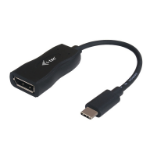
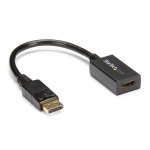
Extend your desktop with an external Display Port monitor via the new USB-C or Thunderbolt 3 connector. The adapter supports the transfer of 4K Ultra HD resolution up to 3840 x 2160 @ 60 Hz pixels including the audio signal. Using is very simple, just plug the adapter into the USB-C or Thunderbolt 3 port on your computer, connect it with a display device via Display Port cable and you can immediately start using. Driver installation is automatic from the system. Please make sure to check a compatibility of your device, whether it meets all the requirements for an operation of the specific i-tec product, especially video output (Display Port Alt mode), and/or Power Delivery. If your device would not be fully compatible, your new i-tec product may not operate correctly. You may find the specifications your device (i.e. USB port), in a user manual supplied with your notebook/tablet/smartphone, or – alternatively – via customer service provided by a manufacturer of your device.